Your Smart TV Knows What You Watch — Here's How to Take That Power Back
Your Smart TV Knows What You Watch — Here's How to Take That Power Back
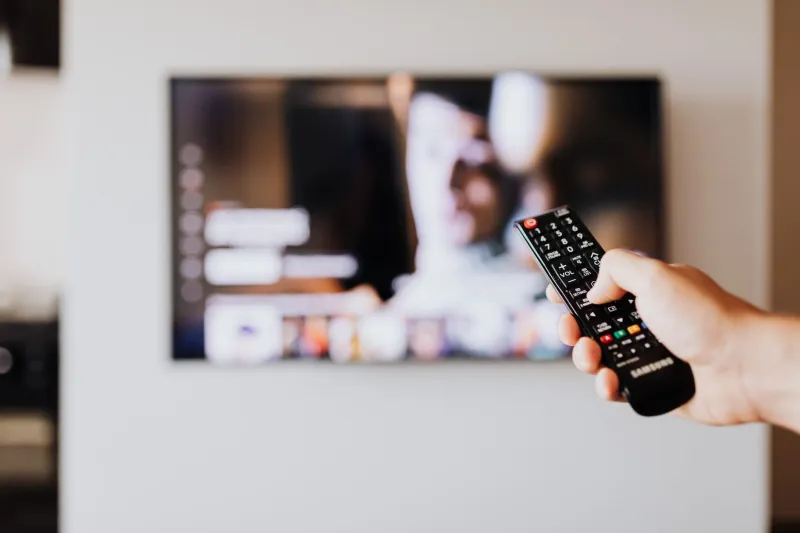
Modern smart televisions are remarkable pieces of technology. They stream 4K content, respond to voice commands, and integrate seamlessly with the rest of your connected home. What the marketing materials rarely mention, however, is that many of these devices are also quietly building a detailed profile of your viewing habits — and selling that information to third parties.
The mechanism behind this is called Automatic Content Recognition, or ACR. Understanding how it works is the first step toward reclaiming control of your own living room.
What Is Automatic Content Recognition, Exactly?
ACR is a form of content-fingerprinting technology embedded directly into the operating systems of most major smart TV brands, including Samsung, LG, Vizio, and TCL. The technology functions somewhat like Shazam does for music: it captures periodic screenshots of whatever is currently displayed on your screen, converts those images into compressed data signatures, and then matches them against a massive reference database of known content.
Here is where the implications become significant. ACR does not limit itself to content streamed through your TV's native apps. Because it monitors the screen output itself, it captures everything displayed through your HDMI ports — meaning your cable or satellite box, your Roku or Fire TV Stick, your PlayStation or Xbox, and even your Blu-ray player are all subject to the same monitoring. The television becomes a surveillance layer that sits above every device connected to it.
This data is typically transmitted to the TV manufacturer and, in many cases, to third-party data brokers and advertising networks.
What Data Is Actually Being Collected?
The scope of ACR data collection is broader than most consumers assume. According to privacy researchers and regulatory disclosures, the information gathered can include:
- Specific titles viewed, including movies, TV episodes, news programs, and sporting events
- Viewing duration — how long you watched before changing the channel or turning off the set
- Time-of-day patterns, which reveal behavioral routines
- Advertising exposure records, confirming which commercials you saw and for how long
- Device identifiers that link your viewing history to your household
When aggregated over weeks and months, this data creates a surprisingly intimate portrait of a household's interests, political leanings, health concerns, and purchasing intent — all inferred from entertainment choices.
Who Buys This Information and Why?
The primary buyers of ACR-derived data are advertisers and media companies seeking to close what the industry calls the "attribution gap" — the difficulty of proving that a television advertisement actually influenced a consumer's behavior. Companies like Samba TV, Inscape (owned by Vizio), and ACR-specialized data brokers act as intermediaries, packaging viewing data and selling it to brands who want to retarget viewers across other devices, such as smartphones and laptops.
In practical terms, this means that watching a pharmaceutical commercial on your television may trigger related ads on your phone within hours. The connection between your TV and your other devices is made possible by cross-device identity matching, a technique that links household devices using shared IP addresses and other identifiers.
The Federal Trade Commission has taken an increasing interest in this ecosystem. In 2024, the FTC published a report highlighting the expansive data collection practices of connected television platforms and called for greater transparency. Regulatory pressure is growing, but meaningful federal legislation has yet to materialize — which means the responsibility currently falls on individual users.
How to Disable ACR on the Most Popular Smart TV Brands
The good news is that ACR can be turned off on virtually every major platform, and doing so does not disable core smart features like streaming apps or voice assistants. The settings are simply buried.
Samsung (Tizen OS)
- Open Settings from the home screen.
- Navigate to Support, then select Terms & Privacy.
- Choose Viewing Information Services.
- Toggle the setting to Off.
On newer Samsung models running Tizen 7 or later, this option may appear under Settings > Privacy > Viewing Information Services.
LG (webOS)
- Press the Settings (gear) icon on your remote.
- Go to All Settings, then select General.
- Open About This TV, then navigate to User Agreements.
- Locate Viewing Information and disable it.
- While in this menu, also review and disable Interest-Based Advertising for additional privacy coverage.
Vizio (SmartCast)
Vizio settled a $2.2 million FTC complaint in 2017 related to ACR collection without adequate disclosure, and their current opt-out process reflects that history.
- Press the Menu button on your remote.
- Select System, then choose Reset & Admin.
- Locate Viewing Data and set it to Off.
Note that Vizio also collects data through its ACE (Automated Content Enhancement) feature. Review the same menu for any related toggles.
TCL (Roku TV)
TCL's smart TVs typically run Roku OS, which has its own data collection practices separate from the TV hardware itself.
- Go to Settings from the Roku home screen.
- Select Privacy, then choose Smart TV Experience.
- Uncheck Use Info from TV Inputs. This disables ACR for non-Roku content sources.
- Also visit Settings > Privacy > Advertising and enable Limit Ad Tracking.
Amazon Fire TV (Built-in)
For televisions running Fire TV OS natively (such as Amazon Fire TV Edition sets and certain Toshiba or Insignia models):
- Go to Settings, then Preferences.
- Select Privacy Settings.
- Disable Collect App and Over-the-Air Usage Data.
- Also disable Interest-Based Ads under the same menu.
Beyond ACR: Additional Privacy Steps Worth Taking
Disabling ACR is the most impactful single action you can take, but a few additional steps will further reduce your TV's data footprint.
Review your voice assistant settings. Most smart TVs with built-in microphones retain voice query data by default. Check your privacy settings to limit data retention or disable the microphone when it is not in active use.
Audit connected app permissions. Each streaming application installed on your TV operates under its own privacy policy and may collect data independently of the TV's operating system. Periodically review which apps have access to your location or account information.
Consider a dedicated streaming device. Devices like the Apple TV 4K or a privacy-configured Raspberry Pi running Kodi give you more granular control over data collection than most built-in TV platforms, since you can route traffic through a VPN or DNS-based ad blocker at the router level.
The Bottom Line
Your smart TV is a genuinely useful device. The goal of this guide is not to encourage you to disconnect it from the internet, but to ensure that your convenience does not come at the silent cost of your privacy. ACR technology was designed to be invisible — and for most households, it has been remarkably successful at remaining that way.
Spending ten minutes in your TV's settings menu is a straightforward way to change that. The data your television collects about you has monetary value to advertisers and data brokers. There is no compelling reason that value should be extracted from your household without your informed consent.
Now that you know where to look, the choice is yours to make.