Your Home Network Is Drowning — And Your IoT Device Count Is the Reason
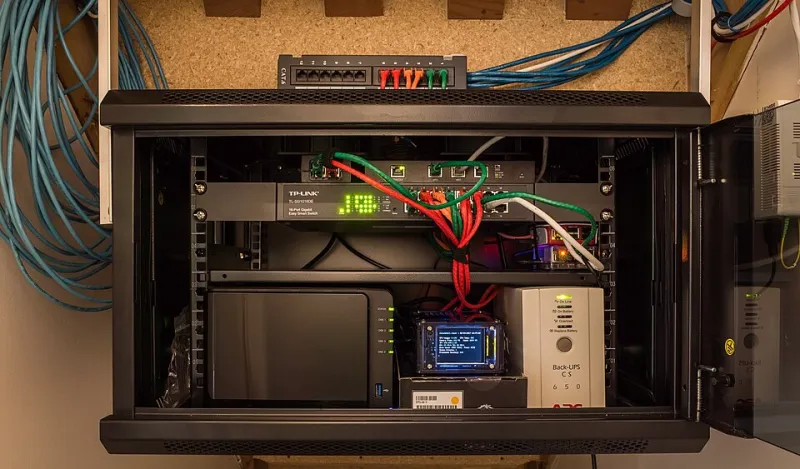
Photo: Simeon W from Wellington, New Zealand, CC BY 2.0, via Wikimedia Commons
Most homeowners who experience degraded network performance immediately suspect their Wi-Fi signal. They reposition routers, upgrade to mesh systems, and switch bands — and sometimes things improve temporarily. But a growing class of performance problems has nothing to do with signal strength. It has to do with how many devices are competing for network resources simultaneously, and what those devices are doing when you are not paying attention.
This is the IoT bloat problem, and it is quietly affecting millions of US households that have crossed the threshold from a few smart devices to a full connected home.
The Difference Between Wi-Fi Problems and Network Saturation
Wi-Fi coverage and network capacity are related but distinct. Coverage describes whether a device can communicate with your router at all. Capacity describes how much simultaneous activity your network infrastructure can process without degrading.
A household with 40 connected devices — which is no longer unusual given the proliferation of smart plugs, sensors, cameras, bulbs, locks, thermostats, and televisions — is not simply running 40 versions of the same connection. Each device introduces its own communication patterns, polling frequencies, and background traffic. The cumulative overhead of this activity can saturate a router's connection table, exhaust DHCP leases, or generate enough broadcast traffic to meaningfully slow down every device on the network, even those with full signal strength.
Upgrading to a faster internet plan does not fix this. Neither does a new mesh router in most cases. The bottleneck is architectural, not signal-based.
The Bandwidth Culprits Most Users Never Suspect
Not all smart devices consume bandwidth equally, and the worst offenders are rarely the ones users expect.
Security cameras are the most significant bandwidth consumers in most homes. A single 1080p camera streaming continuously to cloud storage can consume between 1 and 4 Mbps of upload bandwidth at all times. Four cameras running simultaneously can consume more upload bandwidth than your entire household's video streaming activity consumes on the download side — and upload capacity is typically far more constrained on residential broadband plans.
Smart TVs and streaming sticks are frequently left on standby modes that continue background network activity, including content prefetching, ad telemetry, and software update checks.
Voice assistant hubs maintain persistent connections and perform periodic cloud synchronization regardless of whether anyone is actively using them.
Smart appliances — refrigerators, washing machines, and dishwashers with connectivity features — often have aggressive polling schedules that generate regular traffic even when idle.
Mesh network nodes themselves generate inter-node communication that consumes a portion of the bandwidth they are designed to provide, a factor that compounds as the number of nodes increases.
How Broadcast Traffic Silently Degrades Performance
One of the least understood mechanisms of IoT network degradation is broadcast and multicast traffic. Many smart home protocols — particularly older Zigbee implementations, mDNS for device discovery, and various proprietary cloud-check mechanisms — rely on broadcast messages that are sent to every device on the network simultaneously.
On a network with five devices, this is negligible. On a network with 50 devices, every broadcast message is processed by every device, consuming CPU cycles on your router and creating a low-level background noise that accumulates. Routers with modest processors — which describes the majority of consumer-grade hardware — can struggle to manage this traffic at scale, introducing latency across all network activity.
This is why your laptop might feel slightly slower on a heavily populated smart home network even when the laptop itself is the only device actively streaming.
Conducting a Network Audit Without Removing Devices
The goal of optimization is not to strip your home of connected devices. It is to manage them intelligently. The following framework provides a structured approach.
Step 1: Inventory everything. Log into your router's administration panel and generate a complete list of connected devices. Many users are genuinely surprised by the count. Third-party tools such as Fing provide a more user-friendly interface for this and can identify devices your router's UI makes difficult to recognize.
Step 2: Segment your network using VLANs or a dedicated IoT network. Most modern routers and all mesh systems support the creation of a separate network for IoT devices. Isolating smart home hardware onto its own network segment prevents IoT broadcast traffic from affecting your primary devices and provides a meaningful security benefit as well. This single step frequently produces the most noticeable performance improvement.
Step 3: Audit camera storage settings. Review whether your security cameras need to stream continuously to cloud storage, or whether local storage with event-triggered uploads would satisfy your actual needs. Switching to motion-triggered recording can reduce camera upload consumption by 70 to 90 percent.
Step 4: Disable background activity on smart TVs. Navigate to the network settings on each smart TV and disable automatic content recognition, ad personalization data sharing, and background app refresh where available. These settings vary by manufacturer but are present on virtually every platform.
Step 5: Review update schedules. Where devices allow, configure software updates to occur during off-peak hours rather than on demand throughout the day. This distributes bandwidth consumption more predictably.
Step 6: Identify devices with no active use case. The smart plug you installed for a lamp you no longer own. The hub for a platform you abandoned. These devices continue consuming network resources and router connection table entries indefinitely unless removed. A quarterly review of your device inventory is a worthwhile maintenance habit.
The Router as the Real Bottleneck
All of these optimizations operate within the constraints of your router's actual processing capability. Consumer routers are typically rated for device counts and bandwidth figures that describe theoretical maximums under ideal conditions. Real-world IoT environments are not ideal conditions.
If your router is more than three years old and your device count has grown substantially, the hardware itself may be the binding constraint. Routers designed for the current IoT environment — with dedicated processors for traffic management, robust VLAN support, and connection tables sized for 50-plus devices — are meaningfully different from hardware designed when the average household had eight connected devices.
The investment in appropriate infrastructure is not glamorous, but it is the foundation on which every other optimization depends.
A More Intentional Connected Home
The promise of the smart home is a more efficient, responsive living environment. Realizing that promise requires treating your network as infrastructure that needs to be designed and maintained, not simply expanded. Adding devices without managing the cumulative load they impose is how that promise degrades into frustration.
Audit what you have. Segment what you keep. Optimize what you cannot remove. That discipline is what separates a smart home that actually performs from one that merely looks connected.